We intentionally use monotone photo treatments at specific moments to infuse Emory’s purpose and spirit into imagery. This treatment also allows disparate photography to feel cohesive and a distinct part of our brand.
Using the Monotone
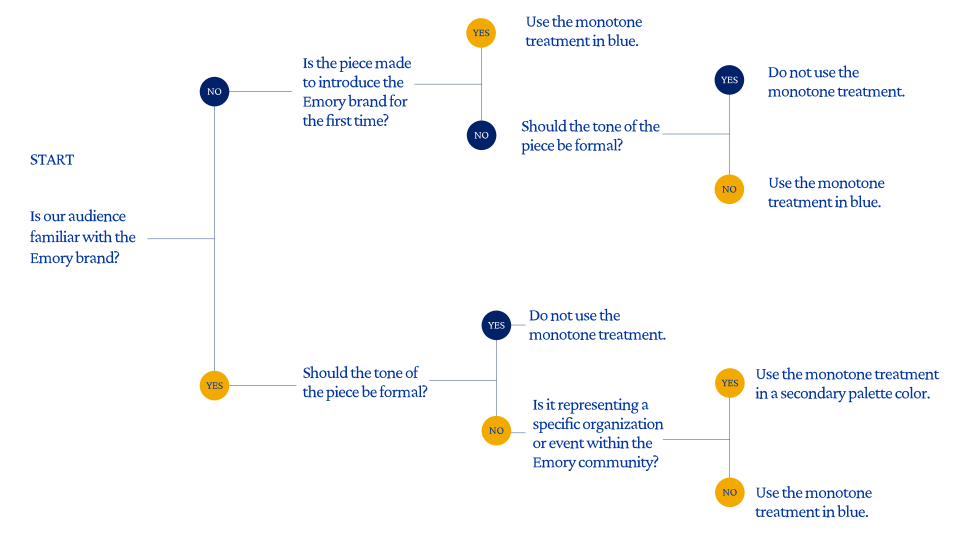
Use the following decision tree to help inform the most appropriate instances in which to implement monotone.
Color Options
The monotone treatment can be used in the core palette and, in certain uses, the secondary palette.
01. WaterHub Blue
A large majority of the time the monotone gradient should be in WaterHub Blue.

02. Eagle Blue
When two images in a single composition both use the monotone treatment, the secondary image is set in Eagle Blue.

03. Secondary Palette
For pieces that exist within the Emory community, a monotone in the secondary color palette may be used to add variety. The use of this color should be no more than 30 percent of the piece.

Monotone Misuse

Do not use multiple colors from the core palette in the gradient.

Do not use the gradient in yellow or gold.

Do not use multiple shades from the secondary palette to build a monotone.

Do not invert or reverse the monotone.
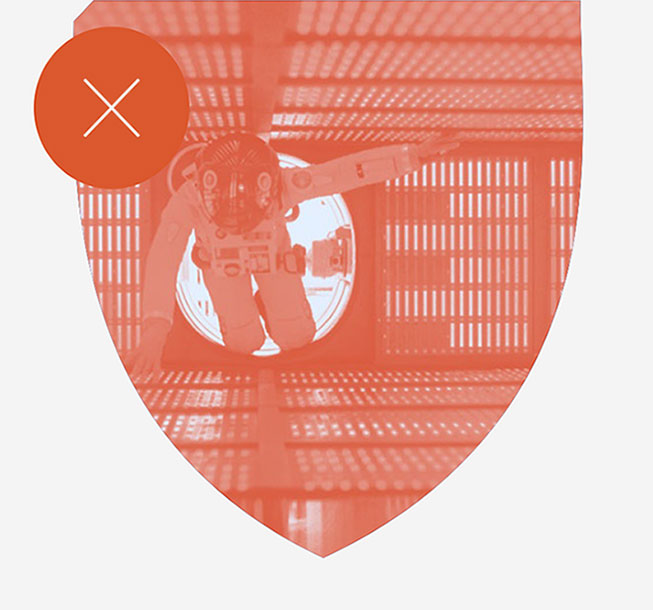
Do not use the monotone in a secondary palette color within the shield. The shield should contain a monotone that uses only WaterHub Blue or dark blue.
Monotones in Practice
Use the monotone premade treatment file with customizations to create new compositions.
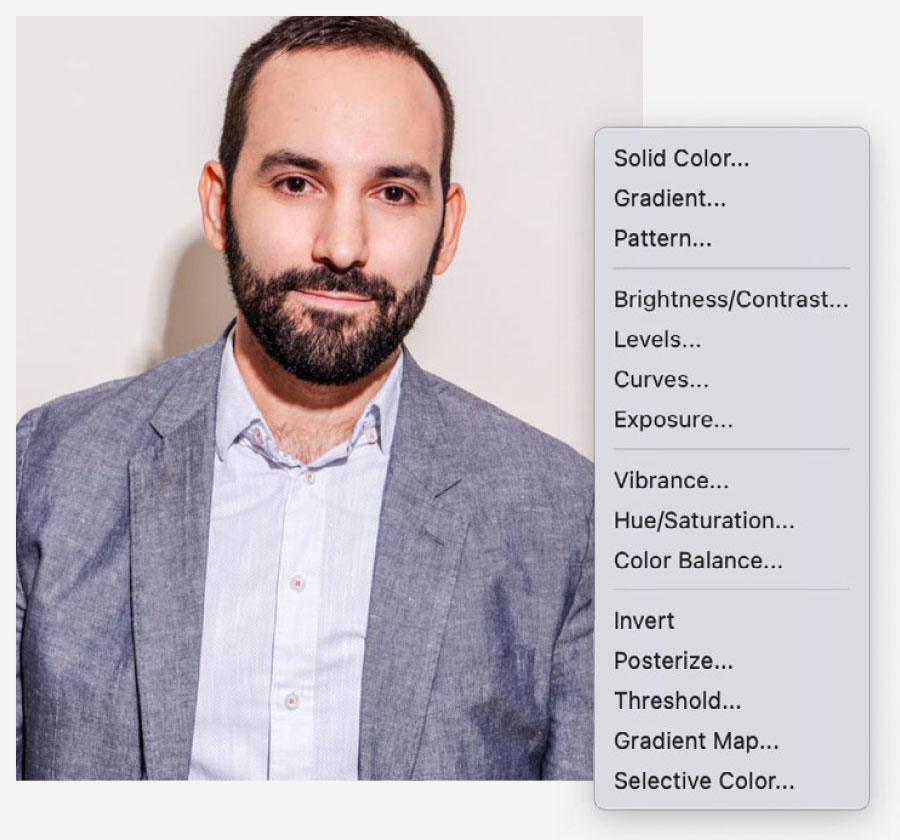
1. Add a new adjustment layer and select the gradient map.
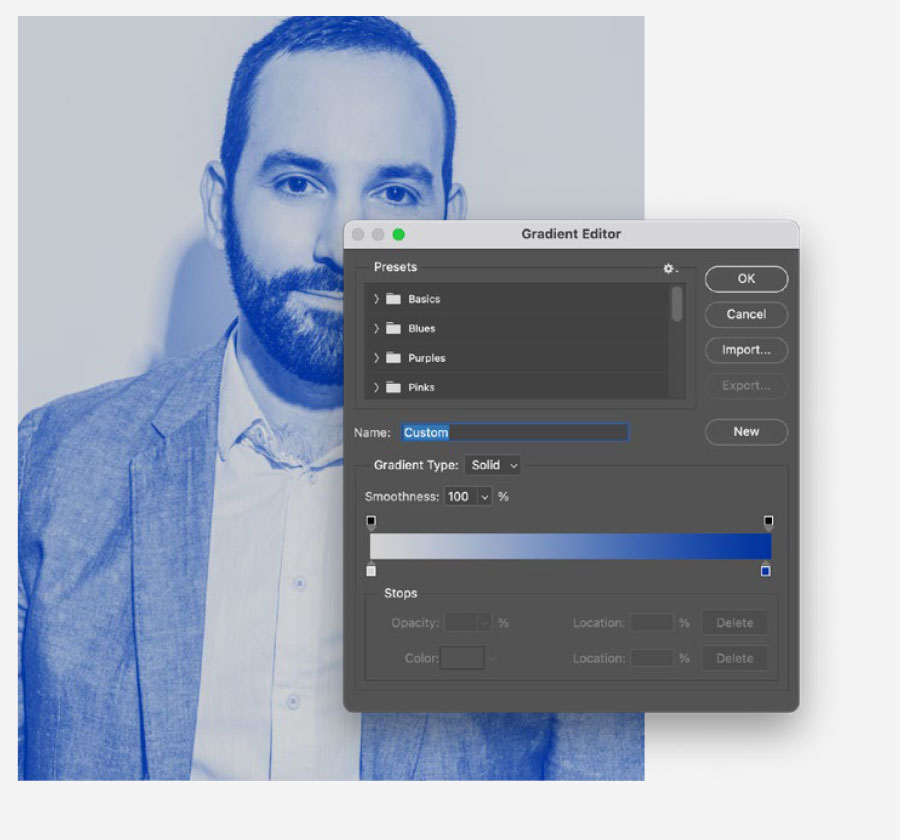
2. Adjust colors in the gradient map to be #ffffff and WaterHub blue (#0033a0).
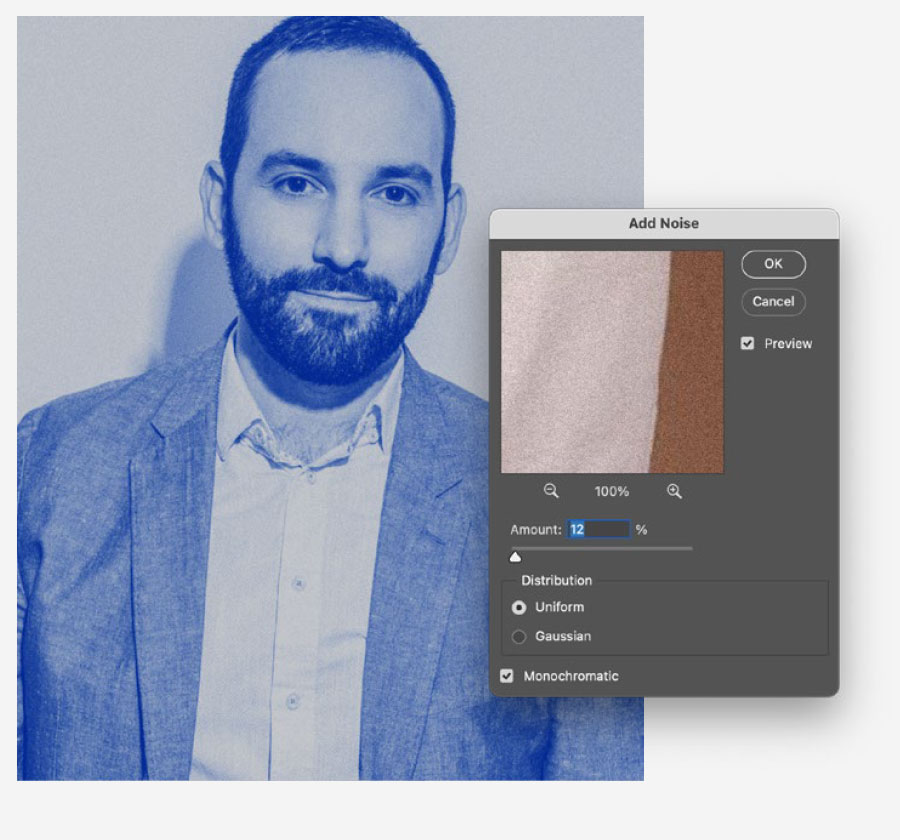
3. Depending on the photo contrast, adjust the levels to make sure the treatment has enough saturation. Add a noise filter of no more than 14 percent, uniform monochromatic noise.

Questions?
Contact the Communications and Marketing brand team.
emory.branding@emory.edu